
.png)
We’ve added new Microsoft Dynamics integration options to Honch, making it easier to keep your CRM accurate, relevant and ready for outreach - without manual work.
If you’re already using Microsoft Dynamics 365, Honch can now feed contacts directly into your CRM overnight, based on real changes in the market rather than static lists.
The goal is simple - less time managing data, more time speaking to the right people.
We’ve expanded our Dynamics integration so that Honch now supports users in four core ways, depending on how you prospect and manage outreach.
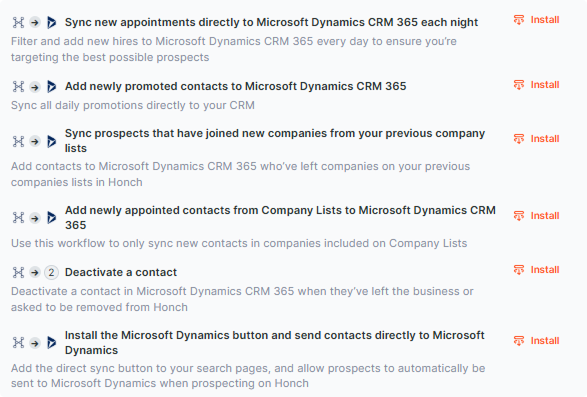
You can now create workflows in Honch that automatically sync contacts into Dynamics overnight.
These workflows are built around real buyer movement, including:
As soon as these contacts appear in Honch, they’re automatically added to Dynamics, ready for your existing processes and reporting.
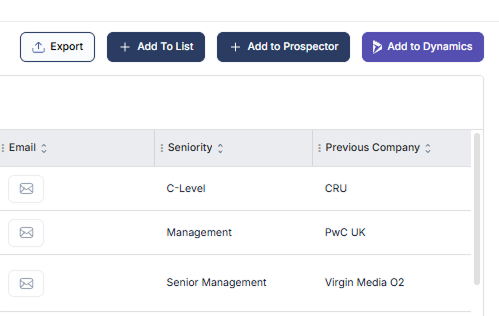
We’ve also added a Dynamics button inside Honch, allowing you to send contacts directly to your CRM in a single click.
This is particularly useful when you’re:
Contacts arrive in Dynamics fully tagged and mapped, without the need for CSV exports or manual uploads.
If you’re prospecting directly in Honch, you can now sync both contacts and emails straight into Dynamics.

This works whether emails are sent:
Contacts are created automatically where needed, and emails are logged in Dynamics as you’d expect - keeping everything in one place.
Alongside adding new contacts, the integration also helps keep your CRM up to date.

Honch can:
For most teams, this reduces bounce rates and helps keep reporting clean without extra effort.
These Dynamics integrations are designed to fit into how teams already use Honch and Dynamics - not change it.
Whether you’re:
Dynamics stays up to date in the background, while your team spends less time managing data and more time focusing on outreach.
Contact us if you’d like help getting set up, or visit our Knowledge Base for step-by-step instructions.
© 2025 Honch, Inc. All rights reserved.